

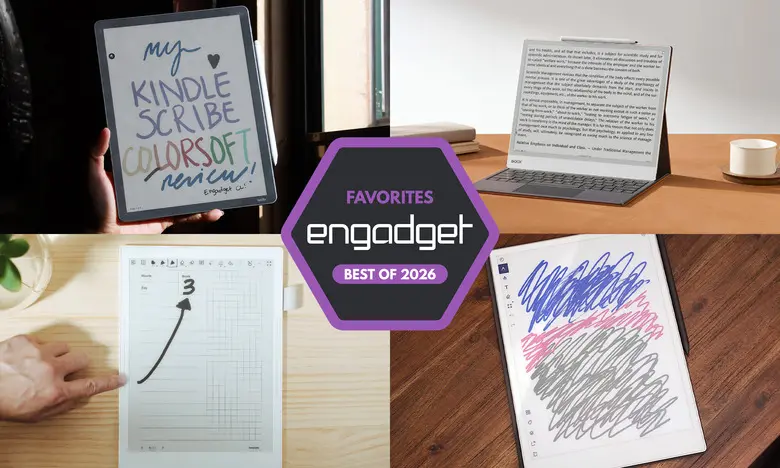
E Ink tablets have evolved from simple e-reader accessories into focused writing tools that can mimic the feel of pen and paper while still offering digital convenience. The best models in 2026 have near-instant pen response, crisp screens, long battery life, and note organization that makes a stack of paper notebooks unnecessary. Some now include color displays, while others lean heavily into distraction-free work. Here is a look at the top E Ink tablets for 2026, what each does best, and what you should check before spending money.
Key facts to know
- E Ink tablets are designed primarily for reading and writing, not video or gaming. Most run focused software rather than full tablet operating systems.
- Writing quality depends on stylus latency and screen texture. The best devices feel almost like ink on paper.
- Prices generally range from $299 to $700. Some makers charge extra for the stylus or a subscription for cloud features.
- Color E Ink panels are available on several models, but they still have lower refresh rates and more muted tones than typical LCD or OLED displays.
Best E Ink tablets for 2026
reMarkable 2: Best overall for most people
The reMarkable 2 has a 10.3-inch monochrome canvas, a slim and light metal body, and one of the most comfortable writing experiences we have tested. The standard model costs about $399, and the stylus is sold separately unless you choose a bundle. The software is easy to learn, with notebooks, folders, and a clean interface. It supports PDF and EPUB files, and you can get content onto it through a companion app, Google Drive, Dropbox, Microsoft OneDrive, or a Chrome extension for sending web articles straight to the tablet. The optional Connect subscription adds unlimited cloud sync and mobile editing; a free year is included with the device. It is not the cheapest E Ink tablet, but it remains the best-balanced choice for most people.
reMarkable Paper Pro: Best premium E Ink tablet
The reMarkable Paper Pro is a larger, faster, color-equipped version of the reMarkable 2. Its 11.8-inch display uses Canvas Color technology, which can produce over 20,000 layered colors. That makes highlights, annotations, and notes much more useful than on a grayscale screen. The tablet is still very thin at 5.1mm, and it has a faster processor, 64GB of storage, and a backlight for working in darker rooms. Pen latency is extremely low, and the overall design feels genuinely premium. The downside is price: the Paper Pro starts around $629, and the stylus is not always included in the base package. For anyone who wants a luxurious large-format E Ink notebook, it is worth the premium.
Amazon Kindle Scribe: Best for reading and writing together
The Amazon Kindle Scribe is the best E Ink tablet for people who buy most of their books from the Kindle store. The latest model has an 11-inch display, a faster processor, and a refined design with slim bezels on all sides. It includes a high-quality pen that attaches magnetically, and the writing experience is smooth and responsive. You can take notes in separate notebooks, add sticky notes to Kindle books, underline passages, and do limited markup on documents. The main limitation is that you cannot freely annotate every Kindle ebook in the same way you would a paper book. Amazon's AI-powered search can also be inconsistent. Still, the new Scribe is the most convenient way to combine a large reading library with handwritten notes.
Supernote A6 X2: Best for note-taking
The Supernote A6 X2 is a 7.8-inch digital notebook that gives users exceptional freedom to organize their writing. It works with page templates, downloadable planner files, custom folders, keywords, stars, bookmarks, and handwriting recognition. The writing feel is smooth and quiet, thanks to the FeelWrite 2 screen protector. The device also has a replaceable battery and a microSD card slot, making it a more repairable choice than most competitors. The software is less polished than that of the Kindle or reMarkable, and the stylus costs extra, but users who love customizing their notebooks will appreciate the flexibility. Supernote also makes a larger Manta X2 with a 10.7-inch display for those who need more room.
Onyx Boox Note Air4 C: Another color-display option
The Onyx Boox Note Air4 C is a 10.3-inch Android-based E Ink tablet with a color display. It runs Android 13 and has access to the Google Play Store, which means you can install Kindle, Kobo, and many other reading apps. It supports a wide range of file types, has 64GB of storage, and includes a stylus in the box. The note-taking app offers multiple brush types, colored links, and accurate handwriting recognition. You can also share notes as PDF or PNG files by email or through cloud services. The color screen is not as vibrant as a regular tablet display, and the software requires some tinkering, but this is one of the most versatile devices in this category.
Onyx Boox Note Max: Best big-screen E Ink tablet
If you want a truly large E Ink screen, the Onyx Boox Note Max stands out. It has a 13.3-inch Carta 1300 display with a sharp 300ppi resolution, making it excellent for A4 PDFs, academic papers, sheet music, and legal-pad-style writing. The Note Max runs Android 13, includes a stylus and cover, and has 128GB of storage. One of its most interesting features is the Calendar Memo app, which lets you attach daily notes to dates on a month view. It has no front light, so you need a nearby lamp for dark rooms. The price is high, but for people who want a big canvas for reading and writing, it is a powerful option.
Honorable mentions
reMarkable Paper Pro Move
The reMarkable Paper Pro Move is a smaller 7.3-inch version of the Paper Pro with the same color E Ink technology. It is lighter, portable, and ideal for working outside a desk. It has excellent build quality, a responsive stylus, and the same clean reMarkable software, including notebooks, handwriting conversion, and note search. The starting price is $449, which is still high for a small device, but it offers nearly everything from the full-size Paper Pro in a more pocketable format.
Kobo Libra Colour
The Kobo Libra Colour is a 7-inch color e-reader that also supports an optional stylus. It is a good choice for people who borrow ebooks from libraries or prefer the Kobo ecosystem. The color screen makes book covers more attractive and allows highlights in several colors. When paired with the Kobo stylus, you can write in the margins of any ebook, draw in notebooks, and convert handwriting to typed text. The stylus costs extra, and the screen is smaller than most E Ink tablets, but it is a compelling alternative for readers who also want to take notes.
Are E Ink tablets worth it?
E Ink tablets are worth the investment for a specific group of people. If you value the look of an e-paper display, want something easier on your eyes, or prefer a device that does not constantly distract you with notifications, an E Ink tablet can be a very useful tool. The best models also make handwriting feel natural enough that many people can replace a physical notebook with one. On the other hand, if you need a general-purpose tablet that handles video playback, web browsing, email, social media, and productivity apps, simply choose an iPad or another standard tablet. E Ink screens are not designed for fast motion, colorful visual content, or heavy multitasking. Their appeal is focus, simplicity, and battery life.
What to look for in an E Ink tablet
Writing and latency
The writing experience is the most important feature on any E Ink tablet. Low stylus latency means the line appears almost instantly under the pen, which makes writing feel natural. Some screens feel slick and smooth, while others provide a bit of paper-like friction. Try to choose a model with a stylus included or factor in the extra cost of buying one separately. A good eraser function and a comfortable pen grip also improve the daily experience.
Reading and file support
Before buying, think about where your reading material comes from. If most of your ebooks are from Amazon, a Kindle Scribe will make those titles available immediately. If you use Kobo or borrow library books, Kobo's devices are more convenient. E Ink tablets that support many file types, such as PDF, EPUB, Word, and image formats, offer more flexibility for work and academic material. But file support does not guarantee that every book will display perfectly, especially if it has complicated formatting or digital rights management locks.
Search and organization
Search features vary widely between E Ink tablets. Some devices can recognize handwriting and translate it into typed text. Others let you create keywords, stars, or bookmarks so you can return to important pages quickly. If you plan to use your tablet for serious study or work, good search and organization tools are essential. Otherwise, a simple notebook-style layout may be enough.
Connectivity and cloud
Most E Ink tablets have Wi-Fi, but connectivity goes beyond that. Some offer deep integration with Google Drive, Dropbox, or Microsoft OneDrive. Others sync through a companion app, letting you view and edit notes on your phone or computer. Cloud storage is useful, but sometimes requires a subscription. If you want to move documents easily, check whether the device supports USB-C file transfer or Bluetooth accessories like keyboards.
Price
E Ink tablets are not inexpensive. Prices typically range from $300 to more than $800, depending on screen size, color capabilities, storage, and included accessories. A larger screen, color display, and Android access all push the price upward. Some manufacturers have raised prices recently due to rising costs, so it is important to compare bundles carefully. A model that includes a stylus and a case may actually be a better value than a cheaper one with no accessories included.
Ultimately, the best E Ink tablet for you depends on how you plan to use it. The reMarkable 2 remains the safest recommendation for people who want a high-quality, focused notebook. The Kindle Scribe is the strongest choice for Kindle readers. The Supernote A6 X2 offers the most flexible note organization, and the Onyx Boox Note Air4 C adds Android app access and color. The premium reMarkable Paper Pro still leads in design and performance, while the Onyx Boox Note Max is the clear pick for anyone who needs a massive writing canvas. Consider your reading sources, budget, and how much time you want to spend configuring the device, and you will find the right E Ink tablet for your own routine.
Source:Engadget News