

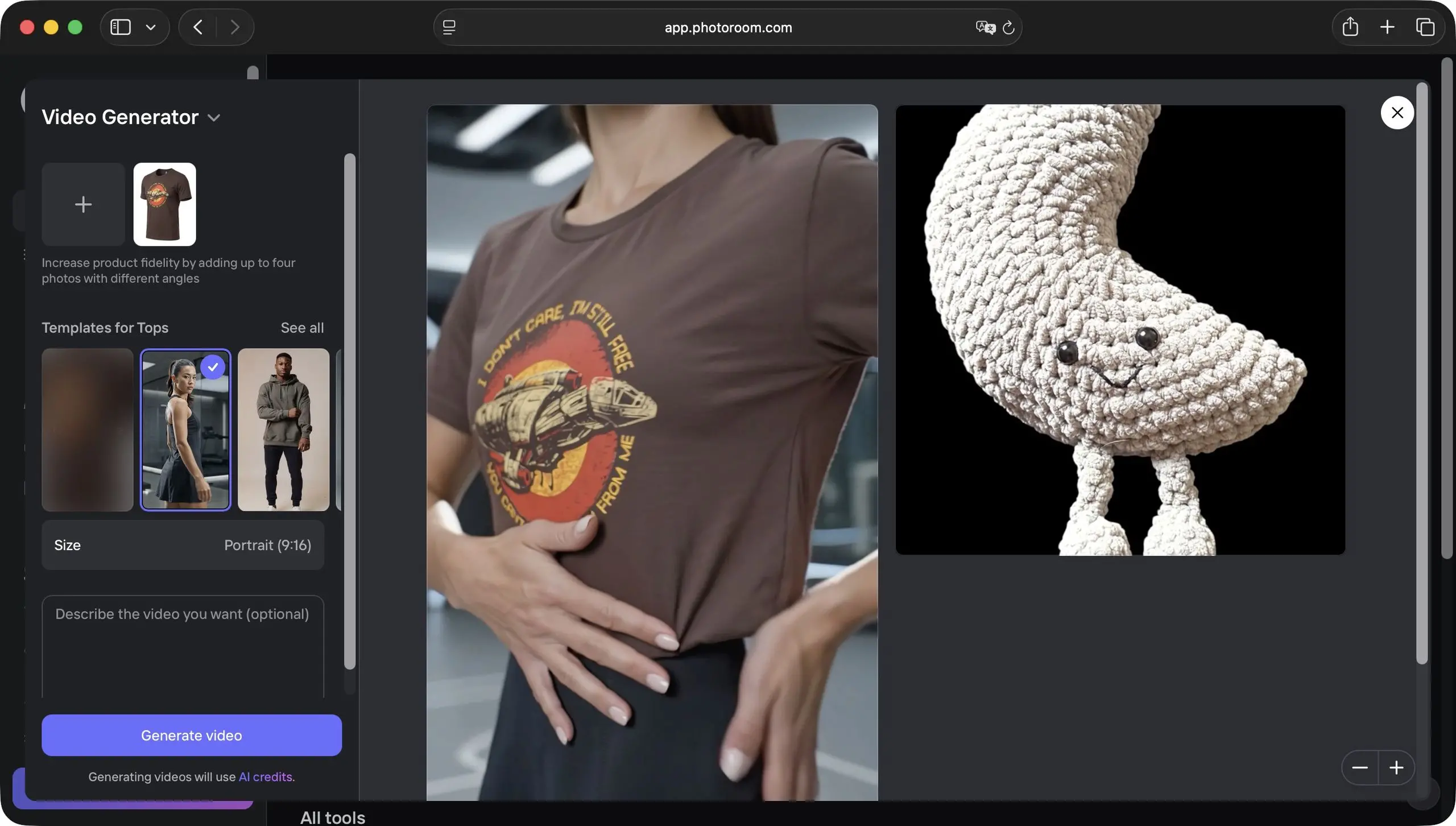
In the fast-paced world of ecommerce, product photography can make or break a sale. High-quality images that clearly show a product and place it in an appealing context are essential for building trust and driving conversions. But professional photography is expensive, time-consuming, and often impractical for small businesses and online sellers who need to update their catalogs frequently. This is where AI-powered photo editing tools like Photoroom come in. Promising professional-level results with just a few clicks, Photoroom has become a go-to solution for sellers across platforms like Etsy, eBay, and Shopify. In this review, we take a close look at whether Photoroom lives up to its reputation as a one-click wonder for making product shots unmissable.
What is Photoroom?
Photoroom is an AI-driven photo editing application designed primarily for ecommerce sellers, marketers, and social media managers. It was launched in 2020 and quickly gained popularity for its ability to remove backgrounds, create realistic product scenes, and generate marketing-ready images in seconds. Unlike traditional editors such as Photoshop, which require a steep learning curve, Photoroom focuses on simplicity and automation. The platform offers both mobile and web versions, allowing users to edit on the go or from their desktop. It also provides a range of templates tailored to specific marketplaces, including Amazon, eBay, and Etsy, which helps sellers meet platform image requirements without manual adjustments.
Key features at a glance
Photoroom packs a surprising number of features into its clean interface. The core functionality is background removal, but the app goes much further. Users can replace backgrounds with solid colors, studio-style backdrops, or realistic AI-generated scenes. The tool also includes retouching capabilities, such as object removal, shadow creation, and automatic color correction. One of the most impressive features is the batch processing tool, which allows sellers to apply the same editing settings to multiple photos at once. This is a game-changer for stores with large inventories. Additionally, Photoroom offers a graphics library with templates, text overlays, and stickers for creating promotional banners, social media posts, and product listings that stand out.
Ease of use
The first thing you notice about Photoroom is how intuitive it is. The user interface is clean and well-organized, with large buttons and clear labels. Uploading an image is as simple as dragging and dropping it into the editor, and the background removal happens almost instantly. Tabs for different functions are placed logically, allowing even complete beginners to navigate without tutorials. In our testing, we found that the learning curve is nearly nonexistent. If you can upload a photo and click a button, you can use Photoroom. This makes it an ideal choice for sellers who lack technical skills or design experience. Advanced tools, such as the AI scene generator, are equally straightforward; you simply select a product, choose a style, and the app does the rest.
Background removal and replacement
Background removal is where Photoroom truly shines. The AI is remarkably accurate at detecting the subject and separating it from the background. It handles tricky edges, such as hair or translucent objects, better than many competing tools. In our tests, we used images with white backgrounds, textured backdrops, and even cluttered scenes. Photoroom successfully isolated the product in every case, with minimal manual touch-up required. The ability to replace the background with a custom color or an AI-generated environment is equally impressive. For instance, you can take a photo of a perfume bottle shot in your living room and instantly place it on a marble table with soft lighting and a tropical backdrop. This feature alone can elevate the perceived value of your products and make your listings more visually appealing.
AI-powered editing tools
Beyond simple background removal, Photoroom includes several AI-powered tools that were previously only available in high-end editing software. The retouching feature can remove shadows, reflections, or unwanted objects from an image. It can also adjust the brightness, contrast, and saturation to make the product look its best. Another standout tool is the batch edit function, which uses AI to apply consistent edits across a series of photos. This is especially useful for sellers who maintain a uniform look across their catalog. For example, if you want all product images to have a light gray background and a subtle shadow, you can set the parameters once and let Photoroom process the entire batch. This saves hours of manual work and ensures brand consistency.
Performance and output quality
We were impressed by the speed and quality of Photoroom's output. Editing is performed in real time, with almost no lag even when handling high-resolution images. The final files are sharp, with clean edges and vibrant colors. Photoroom also allows you to export images in various resolutions, including high-resolution files suitable for print. The web version and the mobile app are well synchronized, so you can start editing on your phone and finish on your laptop seamlessly. One minor issue is that the free version outputs images with a watermark and a maximum resolution of 1000x1000 pixels. To access high-resolution downloads and remove the watermark, you need to subscribe to a paid plan. However, for most ecommerce platforms, 1000 pixels is sufficient for product thumbnails, so the free tier may be adequate for casual sellers.
Pricing and plans
Photoroom offers a freemium pricing model. The free version includes basic background removal, a limited number of templates, and standard export resolution. For serious sellers, the Pro plan is available at a competitive monthly or annual rate. The Pro plan unlocks unlimited high-resolution exports, batch processing, premium templates, and access to the AI scene generator. There is also a Business plan for teams, which adds collaboration features and centralized billing. Given the time savings and the potential to increase sales through better product images, the Pro plan offers excellent value. Compared to hiring a professional photographer or designer, the subscription cost is minimal. Most sellers will recoup the investment after just a few sales.
Who should use Photoroom?
Photoroom is ideal for ecommerce sellers, dropshippers, and small business owners who need to produce large volumes of product images quickly and affordably. It is also useful for social media marketers who create content for Instagram, TikTok, or Facebook ads. Even print-on-demand sellers who need to mock up designs on t-shirts, mugs, or posters can benefit from the easy-to-use tools. However, professional photographers or designers who require granular control over every pixel may find Photoroom limiting. The AI does the heavy lifting, but it sometimes makes decisions that are difficult to override manually. For this audience, a traditional editor like Photoshop or Capture One may still be the preferred choice. But for the majority of online sellers, Photoroom strikes the perfect balance between simplicity and capability.
One of the most appealing aspects of Photoroom is its ability to help small businesses compete with larger brands. A well-edited product photo can make a small shop look just as professional as a big-box retailer. Photoroom removes the barriers to high-quality imagery, enabling sellers to focus on their products and customers rather than struggling with software. The AI keeps improving with each update, introducing new features that further simplify the editing process. For example, recent additions include AI-generated models wearing clothing items, which is a boon for apparel sellers. As the platform evolves, it is likely to become even more indispensable for ecommerce professionals.
In our hands-on testing, we found Photoroom to be reliable, fast, and genuinely effective. The one-click background removal alone is worth the price of admission, and the advanced features make it easy to create professional-looking images that attract clicks and drive conversions. Whether you are just starting your online store or looking to streamline your existing workflow, Photoroom is a tool that deserves a place in your toolkit. It combines the power of AI with an intuitive interface, delivering a seamless experience that empowers sellers to create stunning product shots without any technical expertise.
Source:TechRadar News