

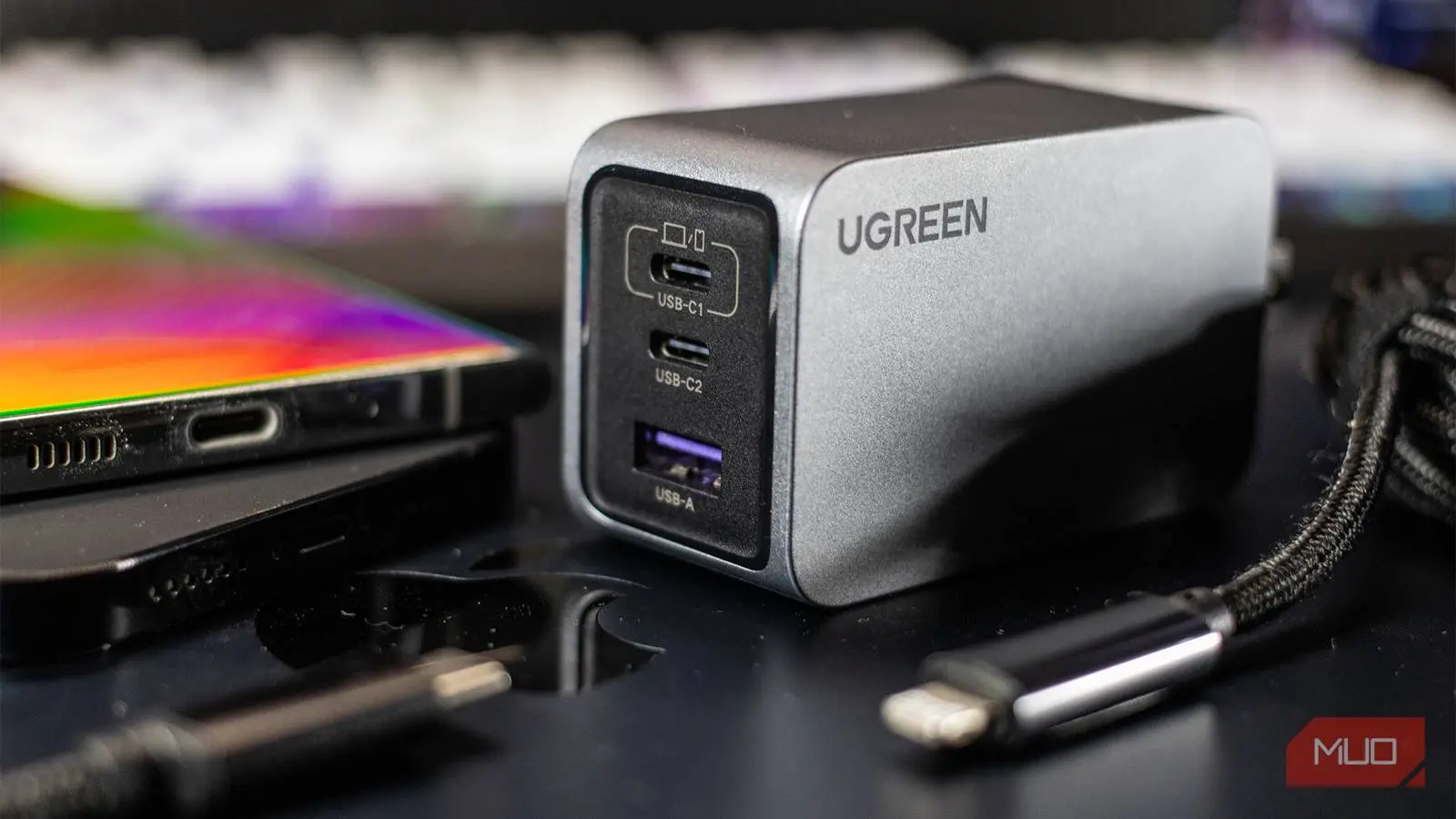
Buying a phone charger used to be an afterthought. When most phones shipped with a brick in the box, you didn't need to compare wattage or decode acronyms. Today, that brick is often sold separately, and looking at the back of a charger can feel like reading a foreign language. Terms like PD, PPS, QC, and GaN appear alongside wattage numbers, and it is not obvious why any of that matters. Once you understand what these terms actually mean, however, choosing the right charger becomes much easier.
The confusion starts with USB-C. The port is now universal across Android phones, tablets, laptops, and even earbuds. Yet a USB-C port alone does not tell you how fast a device will charge. Two chargers can look identical on the outside and support completely different charging speeds and protocols. This is why plugging in an old 5W charger still works but is nowhere near as capable as a modern charger. It will deliver power, but it cannot communicate with the phone to negotiate a faster voltage and current.
Why Charger Shopping Became Confusing
For years, the only question that mattered was whether the charger had the right connector. If it had a USB-A port and the phone used a micro-USB cable, it was a compatible match. The rate of charging varied by manufacturer, but most people simply used the charger included in the box. That changed as companies stopped bundling chargers, citing environmental concerns and cost savings. It also changed as USB-C replaced older ports and as fast-charging technologies matured.
Now, a charger's performance depends on more than its physical shape. The charger and phone must both support the same fast-charging standard for a phone to charge at its maximum advertised speed. Without that compatibility, the charger may fall back to a slower, safer default. Works and works correctly are no longer the same thing. A 100W charger might still charge an unsupported phone at 10W if the two cannot agree on a protocol.
USB PD, PPS, QC, and GaN All Mean Different Things
These acronyms are not interchangeable. They describe different layers of a charging setup: protocols, voltage control, and internal components. Understanding each one helps you match a charger to your phone.
USB Power Delivery (USB PD)
USB Power Delivery is a universal charging standard. It lets a charger and a device negotiate power over a USB-C cable. Instead of pushing a fixed voltage, a PD charger can adjust the output based on what the connected device requests. The charger and phone essentially have a conversation in real time, agreeing on the safest voltage and current combination.
PD is one of the most common reasons that a single charger can power a phone, a tablet, and even a laptop. It has been adopted by nearly every major device manufacturer and is at the heart of modern fast charging. The standard has also evolved over time, and newer PD versions support significantly higher wattages for large devices. Even so, compatibility comes down to what your phone's charging controller supports.
Programmable Power Supply (PPS)
PPS is an extension of USB PD. It was introduced to solve some of the limitations of the original PD approach. With standard PD, the charger and phone negotiate power in discrete steps. With PPS, the voltage can be adjusted continuously in tiny increments. This allows the charger to keep the power delivery closer to the ideal level for the phone's battery at any given moment.
The practical benefit is less heat and greater efficiency. Heat is a major enemy of lithium-ion battery health, so a PPS charger can help preserve the long-term lifespan of your phone's battery. Many phone manufacturers, especially those with their own fast-charging protocols, rely on PPS to deliver the advertised speeds while managing temperature. If your phone lists PPS support, a charger with this feature is worth seeking out.
Quick Charge and Proprietary Protocols
Qualcomm's Quick Charge, often abbreviated QC, is one of the oldest fast-charging names in the Android world. It was designed for phones with Snapdragon processors, although Qualcomm has licensed the technology for other devices. QC has gone through several versions, and later versions can overlap with USB PD. The key detail is to look for the highest version your phone supports rather than assuming any QC charger will be fast.
There are also many proprietary standards, such as OPPO's SuperVOOC and Motorola's TurboPower. These protocols often require a charger and a phone from the same brand or family to reach their maximum speeds. A generic PD charger may still charge these phones, but it will not unlock the fastest rate. The same is true for Samsung's Adaptive Fast Charging and other private systems. This makes the brand of your phone just as important as the label on the charger.
Gallium Nitride (GaN)
GaN is not a charging protocol. It is a semiconductor material used to build the charger's internal components. Traditional chargers rely on silicon chips, which have limits in terms of efficiency and heat generation. GaN chargers use gallium nitride, a material that can switch power more efficiently and produce less heat at the same output.
The practical result is a smaller and lighter charger. A GaN charger can deliver the same wattage as a silicon unit in a fraction of the size. This makes GaN especially popular for multi-port chargers, travel adapters, and laptop bricks. If you see GaN on the box, it tells you something about the hardware, not how fast it will charge your phone.
More Watts Don't Always Mean Faster Charging
Shopping for chargers often becomes a wattage contest. People assume a 65W charger will charge their phone faster than a 25W charger, but that is not true if the phone can only accept 25W. Your phone has a maximum charging rate built into its battery and charging circuitry. Once that ceiling is reached, a higher-powered charger will not help. For example, a Galaxy S26 that tops out at 25W will charge just as fast with a 25W charger as it will with a 65W charger.
Even when your phone supports a high wattage, the number on the box is a maximum output, not a guarantee. It represents the most the charger can deliver under the right conditions. On a multi-port charger, the total output is shared among connected devices. A 100W charger might split that power across two ports, delivering 60W and 40W, or even less depending on the device load. Expecting every port to hit its maximum simultaneously will lead to disappointment.
The Cable Matters Just as Much
You can own the best charger on the market and still get slow charging because of the cable. The cable is part of the charging path, and it has its own power rating. A cable that is built for 15W will not transmit 65W safely or quickly. This is why manufacturers recommend using the cable that came with your phone or a cable certified for the wattage you intend to use.
Some USB-C cables include an electronic marker chip that tells the charger how much current they can handle. Others lack this feature and rely on simple passive wires. The quality of the cable's construction also matters for data transfer and charging reliability. A damaged cable can cause intermittent charging or slower speeds, even if the charger and phone are perfectly matched.
Buying a Charger Without the Guesswork
Start by looking up the maximum charging power that your phone supports. This information is often found in the manufacturer's specifications or on a support page. Once you know that number, look for a charger that supports the appropriate protocol, whether it is PD, PPS, QC, or a proprietary standard. If the charger's wattage is higher than your phone's maximum, that is fine, but it will not make the phone charge any faster.
Then consider the charger's physical design. GaN chargers are ideal if you travel often or want to keep the adapter small and unobtrusive. Multi-port chargers are convenient as long as you understand how the power is shared. Finally, choose a charger and cable from a reputable brand. A no-name charger might list impressive specs on the box, but those specs are not always reliable. Cheap components can result in poor voltage regulation, excess heat, and potential safety risks.
When everything is taken together, the process becomes straightforward. The days of relying on the charger in the box are over, but a little knowledge makes up for the lost convenience. Charging your phone correctly is not about buying the biggest brick or the highest wattage; it is about matching the charger, cable, and phone to one another, and making sure the product has been built with quality in mind.
Source:MakeUseOf News