

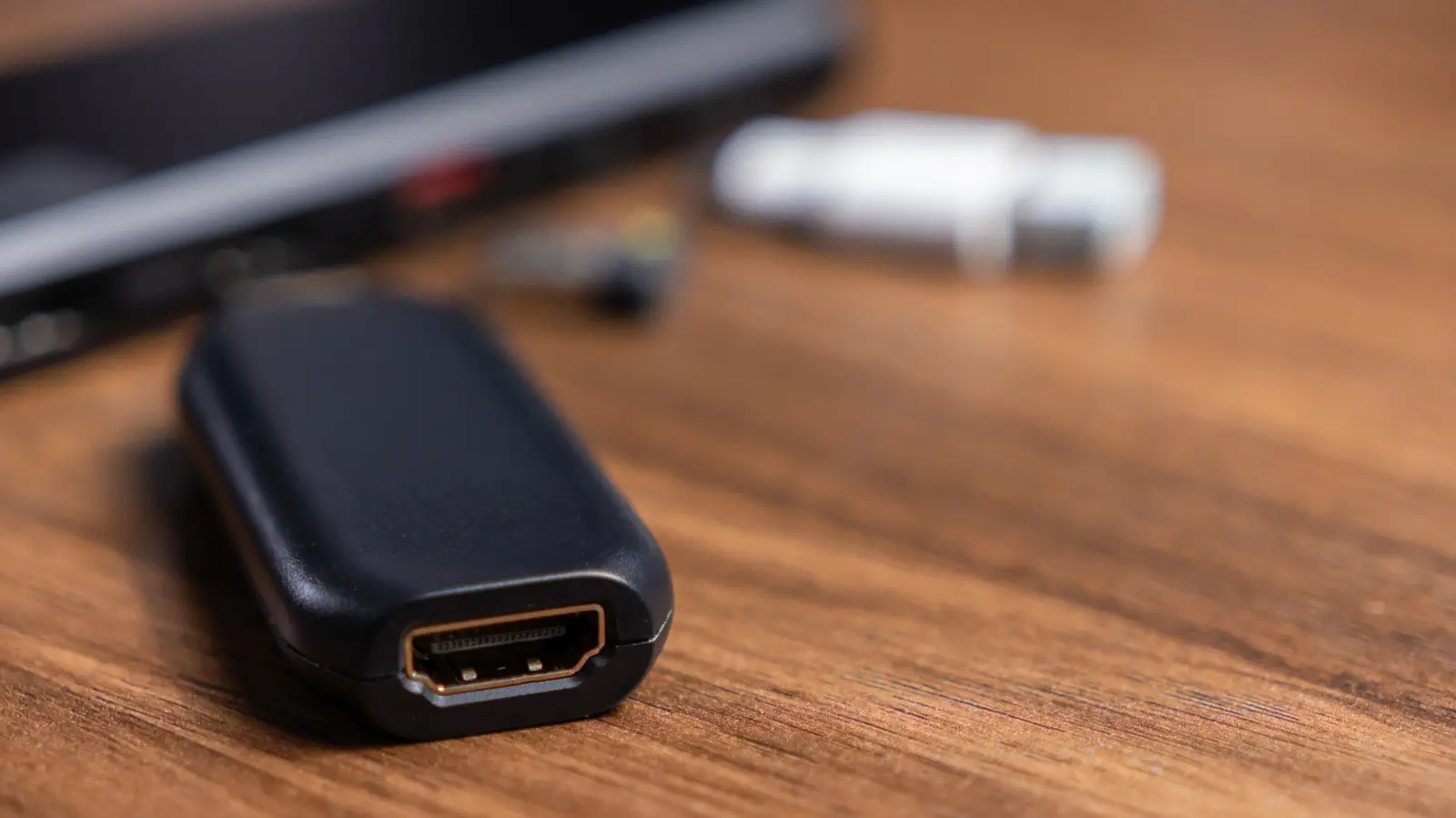
Since its introduction in 2002, the HDMI cable has become the standard for connecting televisions, gaming consoles, streaming devices, and media players to displays. According to industry data, over 120 million US households have at least one HDMI cable, and around 85% own two or more HDMI-enabled devices. This ubiquity means that most people have a drawer full of spare cables, often tangled with old electronics. While having multiple cables handy is convenient when a new console arrives without one, problems arise when the cable is too short to reach from the source to the display. That is where an HDMI coupler—sometimes called a joiner or barrel connector—steps in.
An HDMI coupler is a female-to-female adapter that allows you to connect two HDMI cables together, effectively extending the total length of your cable run. For instance, if you have a 3-foot cable and need to reach a TV that is 10 feet away, you can plug one end into the coupler and attach a longer cable to the other side. This is often cheaper than buying a single longer cable, especially when multiple connections need extending. A pack of six high-quality 8K HDMI couplers might cost around $10 on Amazon, which breaks down to less than $2 per unit. In contrast, a single 10-foot premium HDMI cable can cost $15 or more. However, couplers are passive devices—they do not amplify or regenerate the signal. This characteristic brings important considerations for anyone planning to use them.
How HDMI Couplers Work
HDMI couplers are purely mechanical connectors that pass the digital signal from one cable to the next without any processing. Because they are passive, the signal quality over the combined cable run depends heavily on the total length and the quality of both cables. HDMI signals degrade over distance due to resistance and capacitance in the copper wires. For standard home setups, the maximum recommended length for a single passive HDMI cable is around 50 feet (15 meters) for 1080p video and about 25 feet (7.6 meters) for 4K content. When you join two cables with a coupler, the cumulative length must stay within these limits to avoid visible signal loss, such as sparkles, black screens, or intermittent audio. For example, joining a 30-foot cable and a 20-foot cable yields a 50-foot run, which is borderline for 1080p and almost certainly too long for 4K. The coupler itself adds a tiny amount of impedance mismatch, which can further degrade the signal, especially if the connector quality is poor. Therefore, using quality cables and couplers rated for the desired resolution is crucial.
Benefits and Cost Savings
The primary advantage of using an HDMI coupler is cost. If you already own multiple short cables, buying a coupler is cheaper than purchasing a new long cable. This is particularly useful for temporary setups or when cable runs need to change frequently, such as in conference rooms or home theater systems with movable furniture. Couplers also allow you to reuse old cables instead of discarding them, reducing electronic waste. For example, if you have a 6-foot cable from a previous device and need a 12-foot run, a coupler plus another 6-foot cable might cost less than a single 12-foot cable. Additionally, couplers are small and portable, making them easy to carry in a laptop bag for presentations or travel. Another benefit is that they can help organize cables by allowing you to combine shorter lengths that are easier to manage and hide behind entertainment centers.
Potential Drawbacks and Signal Degradation
While HDMI couplers are useful in many scenarios, they have limitations. The most significant is signal degradation. Every connection point introduces a small amount of signal loss, and with two connections (one from the source to the coupler and one from the coupler to the display), the total loss increases. Over longer distances, this can cause the display to lose sync, resulting in blank screens or flickering. This is especially problematic for high-bandwidth signals like 4K at 60 Hz or 8K, which require more precise timing and lower signal corruption. For these resolutions, even a 15-foot total cable run with a coupler may fail if the cables are not of excellent quality. Additionally, couplers do not support features like Ethernet over HDMI (HDMI with Ethernet) unless specifically designed for it, and they may not pass through HDMI-CEC or ARC signals reliably if the combined length exceeds the standard. Given these limitations, it is generally recommended to avoid using more than two cables joined together, and to keep the total length under 30 feet for 4K HDR content. If a longer run is unavoidable, an active HDMI repeater or extender is a better choice.
When to Choose an Active Repeater
For cable runs exceeding 50 feet, or when using high-resolution formats like 4K at 60 Hz, an active repeater becomes necessary. Active repeaters contain a chip that reconditions and amplifies the HDMI signal, compensating for cable losses. This allows distances up to 100 feet for 4K and even longer for 1080p. Some active extenders use two HDMI cables with a signal booster in the middle, while others convert the signal to a different medium like HDBaseT or optical fiber for runs of hundreds of feet. The Cable Matters Active HDMI repeater, for example, is a female-to-female adapter that can extend 4K signals to 100 feet. While more expensive than a passive coupler—typically $20 to $50—they provide reliable performance over longer distances. Active repeaters also often include features like equalization and redriver circuitry that compensate for different cable qualities. Therefore, for professional installations or permanent setups, investing in an active solution is wise.
Practical Tips for Using HDMI Couplers
If you decide to use a passive coupler, follow these guidelines to minimize issues. First, use high-quality cables rated for the highest resolution you need. Cables with thicker gauge (24 AWG or lower) and triple shielding are preferable for longer runs. Second, keep the total combined cable length under 30 feet for 4K and under 50 feet for 1080p. Third, avoid daisy-chaining more than two cables. Each additional connection increases the risk of signal failure. Fourth, test the setup before permanent installation—plug everything in and check for visual artifacts or audio dropouts. If any issues occur, try different cables or a shorter total length. Fifth, consider using cables with gold-plated connectors to reduce corrosion and improve conductivity. Finally, if the coupler is going to be moved frequently, choose one with a sturdy metal housing rather than plastic, as it will better withstand wear and tear. Some couplers also include locking clips to prevent accidental disconnection, which can be useful in high-traffic areas.
Other Useful HDMI Adapters
HDMI couplers are just one type of HDMI adapter. Others include splitters (one source to multiple displays), switches (multiple sources to one display), and extenders (using Cat5/6 cable or fiber). For example, an HDMI splitter can send the same signal to two TVs, while an HDMI switch allows you to connect multiple devices to a single TV input without swapping cables. These adapters can be combined with couplers to create flexible setups. For instance, you might use a short cable from a streaming stick to a coupler, then a long cable to a wall plate, and then another coupler to the TV. However, remember that each passive connection adds potential signal degradation. Active versions of these adapters are available for longer runs or higher resolutions. Understanding your specific needs will help you choose the right combination of adapters and cables.
HDMI technology has evolved significantly since its debut. The original HDMI 1.0 supported up to 1080p at 60 Hz. Later versions added support for 4K (HDMI 2.0), 8K (HDMI 2.1), and higher refresh rates, along with features like HDR, eARC, and variable refresh rate. Each new version demands better cable quality and shorter maximum distances for passive transmission. For example, HDMI 2.1 cables (often called Ultra High Speed) are required for 8K or 4K at 120 Hz. These cables are built with more stringent specifications, but they still suffer from distance limitations. Using a coupler with Ultra High Speed cables can work for short extensions, but for runs over 10 feet, an active optical HDMI cable—which uses glass fiber instead of copper—might be a better option. Optical HDMI cables can reach over 100 feet without signal loss, but they are typically more expensive and often unidirectional. Couplers cannot be used with optical cables because the signal is already optical; instead, specialty adapters with built-in converters exist.
When setting up a home theater or gaming system, planning your cable runs ahead of time can save frustration. Measure the distance from your source (e.g., AV receiver, game console) to the TV or projector, and then choose a single cable that meets that length if possible. If you need to use multiple cables due to existing lengths or wall routing, a passive coupler can work if the total is under 30 feet for 4K. For anything longer, invest in an active repeater. Remember that the quality of the coupler itself matters—cheap plastic couplers may have poorly soldered pins or inadequate shielding, leading to intermittent problems. Reputable brands like Cable Matters, AmazonBasics (now defunct but still common), and Monoprice offer reliable couplers at low prices. Read reviews and check if the coupler is rated for the HDMI version you need (e.g., HDMI 2.1).
Another common use for couplers is to repair a damaged cable end. If the connector on a device input is broken, you can cut the cable and attach a new male connector, but that requires crimping. Alternatively, if the cable's male end is damaged, you can plug it into a coupler and then use a short good cable from the coupler to the device. This provides an easier fix if you have a sacrificial short cable available. However, this is a temporary solution—replacing the entire cable is always recommended for permanent installations. In professional environments, such as conference rooms or digital signage, couplers are often used to connect wall plates to equipment racks. Wall plates have female HDMI ports on both sides, so they essentially act as couplers built into the wall. In such cases, the cable from the plate to the display should be of high quality and kept as short as possible.
The decision to use an HDMI coupler ultimately depends on your specific needs, budget, and performance requirements. For short extensions (less than 10 feet total added length) with 1080p content, a passive coupler is an excellent low-cost solution. For 4K or longer distances, weigh the cost of a single long cable against a coupler plus cable. In many cases, a single long cable will be more reliable and not much more expensive. However, if you already have cables and just need a few extra feet, a coupler is the obvious choice. As with any technology, understanding the trade-offs helps you make an informed decision. Keep in mind that constant disconnections and reconnections can wear out the coupler's female ports over time, so if you plan to change setups often, consider using gender changers or extension cables with male-to-male connectors instead.
In summary, HDMI couplers are simple yet effective tools for extending cable reach when used within their limits. They are passive, inexpensive, and widely available. However, they are not suitable for long-distance runs or high-bandwidth signals without careful attention to cable quality and total length. For those situations, an active repeater or a dedicated longer cable is recommended. By understanding the strengths and weaknesses of couplers, you can optimize your AV setup for both cost and performance.
Source:SlashGear News